
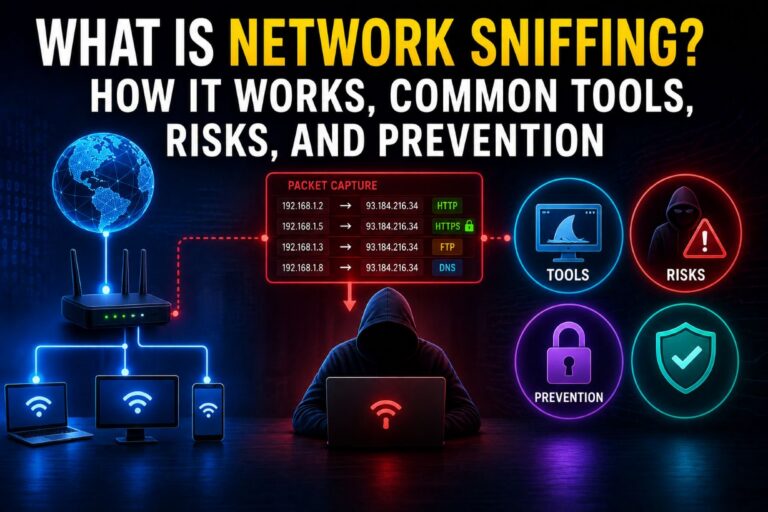
Every time you browse a website, send an email, watch a video, or log in to an online account, your device exchanges data with other computers across a network. This data doesn’t travel as one large file—it is broken into thousands of small pieces called packets. Monitoring these packets is known as network sniffing.
The term “network sniffing” often sounds suspicious because it is commonly associated with hackers. However, the reality is more balanced. Network sniffing is an essential networking technique used by IT professionals, cybersecurity experts, and network administrators to troubleshoot problems, monitor network performance, and detect security threats. At the same time, cybercriminals can misuse the same technique to steal sensitive information from insecure networks.
In this guide, you’ll learn what network sniffing is, how network sniffing works, common network sniffing tools, the difference between legitimate and malicious packet sniffing, and how to protect yourself from sniffing attacks.
What Is Network Sniffing?
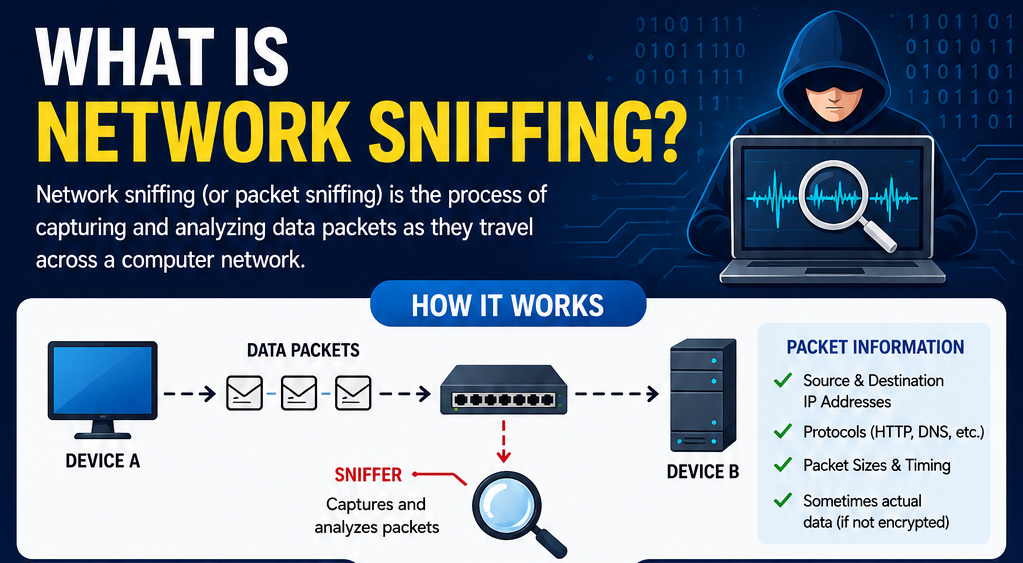
Network sniffing, also called packet sniffing, is the process of capturing and analyzing data packets as they travel across a computer network.
A device or software called a packet sniffer intercepts network traffic and displays information about the packets being transmitted. Depending on whether the traffic is encrypted or not, the sniffer may only see basic information such as IP addresses and protocols, or it may also capture the actual contents of the communication.
Network sniffing is widely used in cybersecurity, network troubleshooting, and performance monitoring. By itself, it is neither good nor bad—the purpose depends entirely on who is using it and why.
How Does Network Sniffing Work?
To understand how network sniffing works, imagine sending a letter through the postal service. Instead of delivering one large package, your message is divided into many smaller envelopes. Each envelope contains information about the sender, receiver, and part of the message.
Computer networks work in a similar way.
When you send data over the internet, it is divided into small packets. These packets travel through routers, switches, and network devices before reaching their destination.
A packet sniffer listens to the network traffic and captures these packets for analysis.
Depending on the type of traffic, a sniffer may collect information such as:
- Source IP address
- Destination IP address
- Communication protocol (HTTP, HTTPS, DNS, FTP, etc.)
- Packet size
- Transmission time
- Network ports
- Message contents (if the traffic is not encrypted)
This information helps administrators understand how devices communicate and identify potential network issues.
Legitimate Uses of Network Sniffing
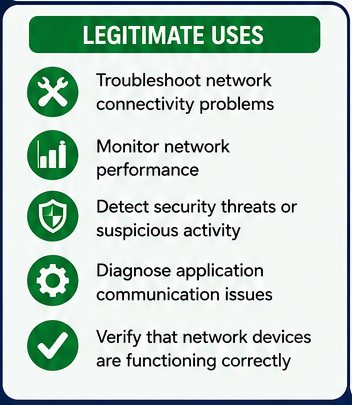
Many people assume packet sniffing is only used by hackers, but that’s far from the truth. In fact, network sniffing in cybersecurity plays an important role in protecting computer networks.
Troubleshooting Network Problems
Network administrators use packet sniffers to identify connection issues, slow network performance, or communication failures between devices.
Instead of guessing where the problem exists, they can examine the captured packets to locate the exact cause.
Monitoring Network Performance
Organizations often monitor network traffic to identify bandwidth usage, overloaded servers, or applications consuming excessive resources.
This helps improve network efficiency and reliability.
Detecting Security Threats
Packet analysis allows security teams to detect unusual traffic patterns that may indicate malware infections, unauthorized access attempts, or cyberattacks.
Early detection can prevent serious security incidents.
Diagnosing Application Issues
Many applications rely on constant communication between servers and users.
If an application suddenly stops working, packet captures help developers determine whether data is being transmitted correctly.
Malicious Uses of Network Sniffing
While network sniffing has many legitimate purposes, attackers can also misuse it.
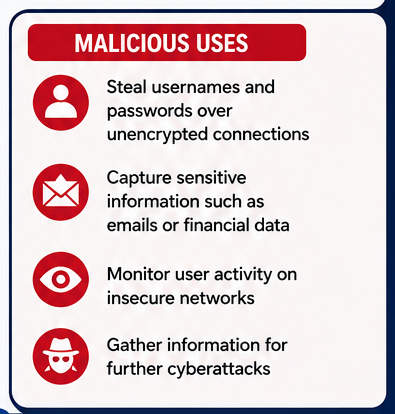
A network sniffing attack usually targets unencrypted network traffic.
If sensitive information travels without encryption, attackers may capture:
- Usernames
- Passwords
- Email contents
- Financial information
- Session cookies
- Personal data
Cybercriminals often perform sniffing attacks on insecure public Wi-Fi networks where users share the same connection.
Captured information may then be used for identity theft, financial fraud, or further cyberattacks.
Fortunately, modern websites increasingly use encryption, making these attacks much less effective than they once were.
HTTP vs HTTPS: Why Encryption Matters
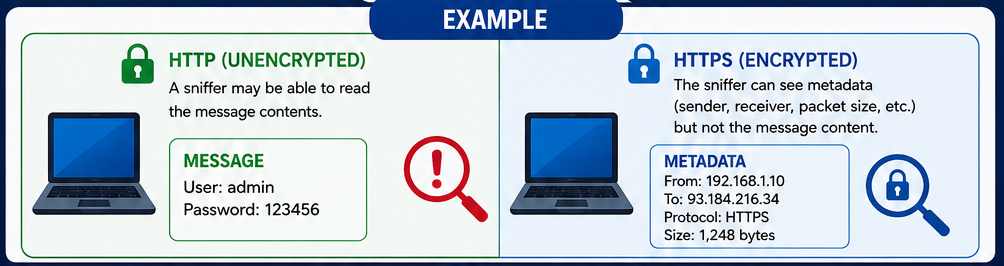
One of the easiest ways to understand network packet sniffing is by comparing HTTP and HTTPS.
HTTP (Unencrypted)
When a website uses HTTP, the communication is not encrypted.
If someone captures the packets, they may be able to read the transmitted information directly.
For example:
- Login credentials
- Form data
- Messages
- Search queries
This is one reason why HTTP websites are now considered insecure.
HTTPS (Encrypted)
HTTPS encrypts communication between your browser and the website.
Even if someone captures the network packets, they usually cannot read the actual message contents.
Instead, they can only see metadata such as:
- Source and destination IP addresses
- Packet sizes
- Connection timing
- Protocol information
This encryption significantly improves online security.
Common Network Sniffing Tools
Several tools are available for capturing and analyzing network traffic.
Wireshark
Wireshark is the world’s most popular packet analyzer.
It provides a graphical interface that allows users to inspect thousands of network protocols in real time.
IT professionals, students, and cybersecurity researchers use Wireshark for troubleshooting and network analysis.
tcpdump
tcpdump is a command-line packet capture tool available on Linux and Unix systems.
Although it lacks a graphical interface, it is extremely powerful and widely used by experienced system administrators.
Microsoft Network Monitor
Microsoft previously offered Network Monitor as a packet analysis tool for Windows.
Although it has been discontinued, some organizations still use it on older systems.
How to Protect Yourself from Network Sniffing
Although network sniffing cannot always be prevented, you can greatly reduce the risk of becoming a victim.
Use HTTPS Websites
Always verify that websites use HTTPS before entering passwords or payment information.
Modern browsers display a padlock icon next to secure websites.
Avoid Sensitive Activities on Public Wi-Fi
Public Wi-Fi networks are convenient but often less secure than private networks.
Avoid online banking, shopping, or logging into important accounts unless you’re using a trusted connection.
Use a VPN
A Virtual Private Network (VPN) encrypts your internet traffic before it leaves your device.
Even if someone captures your packets, the encrypted data is extremely difficult to interpret.
Keep Your Devices Updated
Operating system and software updates frequently include important security patches.
Installing updates reduces vulnerabilities that attackers may exploit.
Secure Your Home Wi-Fi
Protect your wireless network using WPA2 or WPA3 encryption and a strong password.
Never leave your Wi-Fi network unsecured.
Is Network Sniffing Illegal?
The answer depends on how it is used.
Network administrators are generally allowed to monitor networks they own or manage.
Similarly, cybersecurity professionals often perform packet analysis during authorized security assessments.
However, intercepting someone else’s network traffic without permission may violate privacy laws and computer crime regulations in many countries.
In short, network sniffing itself is not illegal—unauthorized use often is.
Final Thoughts
Network sniffing is a powerful technique used to capture and analyze data packets traveling across a computer network. While the term is often associated with cybercriminals, packet sniffing is also an essential tool for network administrators, IT professionals, and cybersecurity experts who use it to troubleshoot problems, improve network performance, and detect security threats.
The biggest risk comes when sensitive information travels across unencrypted connections. That’s why modern security practices such as HTTPS, VPNs, encrypted Wi-Fi, and regular software updates are so important.
Understanding what network sniffing is, how network sniffing works, and how to protect yourself from sniffing attacks helps you make safer decisions when using the internet. Whether you’re browsing from home or connecting to public Wi-Fi, following basic security practices can significantly reduce the risk of your data being intercepted.
Also Read: