
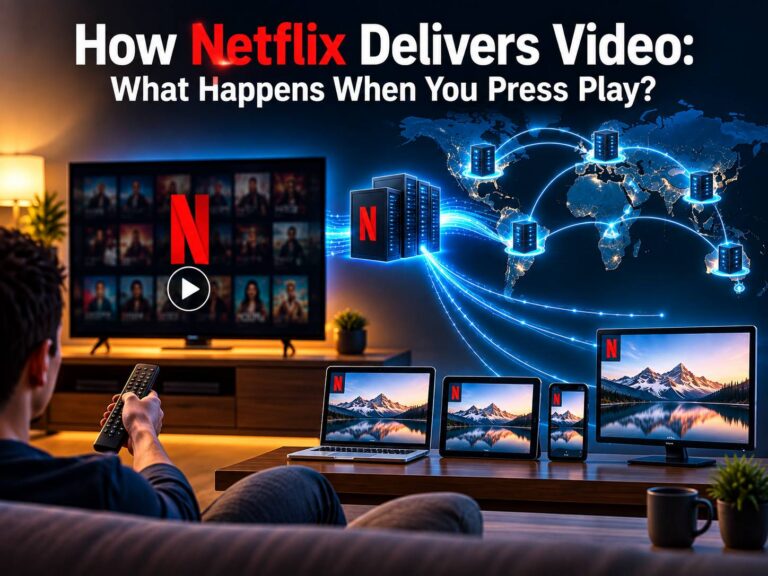
Have you ever wondered what happens behind the scenes when you open Netflix, choose a movie, and press Play? Within a few seconds, a huge amount of technology works in the background to start the video on your TV, phone, laptop, or tablet.
Streaming a movie is not as simple as sending one large video file from a Netflix server to your device. Netflix uses a combination of Content Delivery Networks (CDNs), DNS, internet networks, video encoding, adaptive bitrate streaming, and distributed servers to deliver content smoothly.
The system is designed to send video from a location that can provide a good connection to your device while adjusting the quality when your internet speed changes.
So, how does Netflix stream video? Let’s follow the journey from the moment you press Play until the video appears on your screen.
1. You Press the Play Button
Everything starts when you select a movie or TV show and press Play.
Your device could be a smart TV, smartphone, tablet, laptop, streaming box, or game console. The Netflix application knows which title you selected and sends the necessary request through your internet connection.
At this point, Netflix also needs information about your device and the conditions of your connection so that it can determine how the video should be delivered.
The request then travels through your home network, internet service provider, and the wider internet infrastructure.
This is the first step in understanding how Netflix delivers movies and TV shows over the internet.
2. Your Device Sends a Request to Netflix
After you press Play, your device communicates with Netflix’s online services.
This communication happens through internet protocols such as HTTPS. Your device requests the information needed to begin playback, including the video content and other streaming resources.
The request doesn’t necessarily mean that one Netflix server will send the entire movie directly to you.
Netflix operates a large distributed delivery infrastructure. One important part of this infrastructure is Netflix Open Connect, its content delivery system designed to bring popular content closer to viewers.
The basic idea is simple: placing content closer to users can reduce the distance that video data needs to travel.
3. DNS Helps Direct the Request
Another important part of internet communication is the Domain Name System, or DNS.
DNS translates domain names into network addresses that computers can use. When your device needs to communicate with a service, DNS helps it find the appropriate destination.
For streaming services, network routing and traffic-management systems can help direct users toward suitable infrastructure.
The exact path can vary depending on the user’s location, internet service provider, network conditions, and availability of Netflix infrastructure.
This is one reason Netflix streaming technology is more complicated than simply connecting every viewer to one central server.
4. Content Delivery Networks Bring Video Closer
A Content Delivery Network (CDN) is a distributed network of servers designed to deliver content from locations that are geographically and topologically closer to users.
Netflix uses its Open Connect infrastructure to distribute content through participating internet service providers and other locations.
Popular titles can be stored or cached on servers closer to viewers. When many people want to watch the same popular show, they don’t all necessarily need to download it from one distant location.
This approach helps Netflix handle large numbers of simultaneous viewers.
For example, imagine thousands of people in the same region watching the same newly released series. A distributed delivery system can help serve that content efficiently instead of forcing every viewer’s video data to travel from a distant central location.
5. The Video Is Prepared in Different Qualities
A movie or TV episode cannot simply be stored as one enormous video file and sent identically to every device.
People have different screens and different internet connections. Someone may be watching on a smartphone using a slower connection, while another person is watching on a large 4K television with a fast broadband connection.
Netflix therefore prepares content in multiple formats and quality levels.
The original video is processed and encoded into different versions. These can include different resolutions, bitrates, and encoding formats.
This process is known as video encoding.
The purpose is to give the streaming system several options so that it can choose an appropriate version for the viewer.
6. Netflix Uses Adaptive Bitrate Streaming
One of the most important technologies behind smooth streaming is adaptive bitrate streaming.
Instead of continuously sending one fixed-quality stream, the service can provide video at different bitrates.
If your internet connection is fast and stable, the player may be able to use a higher-quality version.
If your connection becomes slower, the player can switch to a lower bitrate to reduce buffering.
This is why Netflix video quality can sometimes change during playback.
For example, you might initially see a lower-quality picture when playback begins. After the system determines that your connection can handle more data, the quality may improve.
The goal is not simply to provide the highest possible resolution. The goal is to provide the best practical viewing experience without unnecessary buffering.
7. The Video Is Sent in Small Pieces
Another important part of how Netflix streaming works is that your device does not normally receive an entire movie as one huge continuous file.
The video is divided into smaller segments or chunks.
Your Netflix application requests these pieces as playback continues. The player stores a limited amount of upcoming content in a buffer and continues requesting additional segments.
This approach gives the streaming system more flexibility.
If your network becomes slower, the player can request lower-bitrate segments. If the connection improves, it can request higher-quality segments.
This process happens automatically while you watch the video.
8. Your Internet Speed Can Change the Quality
Your available bandwidth is one of the factors that can affect streaming quality.
Internet connections are not always perfectly stable. Network congestion, Wi-Fi interference, other devices using the connection, and ISP conditions can all affect available bandwidth.
Netflix’s streaming system can respond to changing conditions by adjusting the quality of the video.
This explains why you might occasionally notice a video becoming slightly blurry before returning to a sharper image.
The temporary reduction in quality can help prevent the stream from stopping completely.
In other words, Netflix adaptive streaming helps prevent buffering when internet speed changes.
9. Your Device Decodes and Plays the Video
Once the video segments arrive, your device has to process them.
The Netflix application and the device’s hardware work together to decode the video and display it on your screen.
The exact process depends on the device. A modern smart TV, smartphone, laptop, and game console may use different hardware and software for video decoding.
Your device also needs to handle audio, subtitles, video quality, and other playback information.
All of this happens quickly enough that, from the user’s perspective, it simply looks like a movie starting after pressing Play.
10. Netflix Continues Monitoring the Stream
The process doesn’t stop after the first few seconds of playback.
The streaming system continues responding to changing network conditions while you watch.
If bandwidth drops, the player may request smaller or lower-quality video segments. If conditions improve, it may move back toward a higher-quality stream.
This continuous adjustment is one of the reasons streaming services can work across a wide range of internet connections.
It also explains why two people watching the same Netflix title may not always receive exactly the same video quality.
Why Does Netflix Use Servers Around the World?
Netflix needs to serve viewers in many countries and regions at the same time. A centralized system would create enormous network demands and unnecessary distance between servers and users.
A distributed content delivery architecture helps bring frequently watched content closer to viewers.
Netflix’s Open Connect infrastructure works with internet service providers to place content closer to the networks where viewers are located.
This can help reduce the amount of traffic that has to travel across long-distance internet links.
It also helps Netflix handle periods of very high demand, such as when a popular new series becomes available.
What Technologies Does Netflix Use for Streaming?
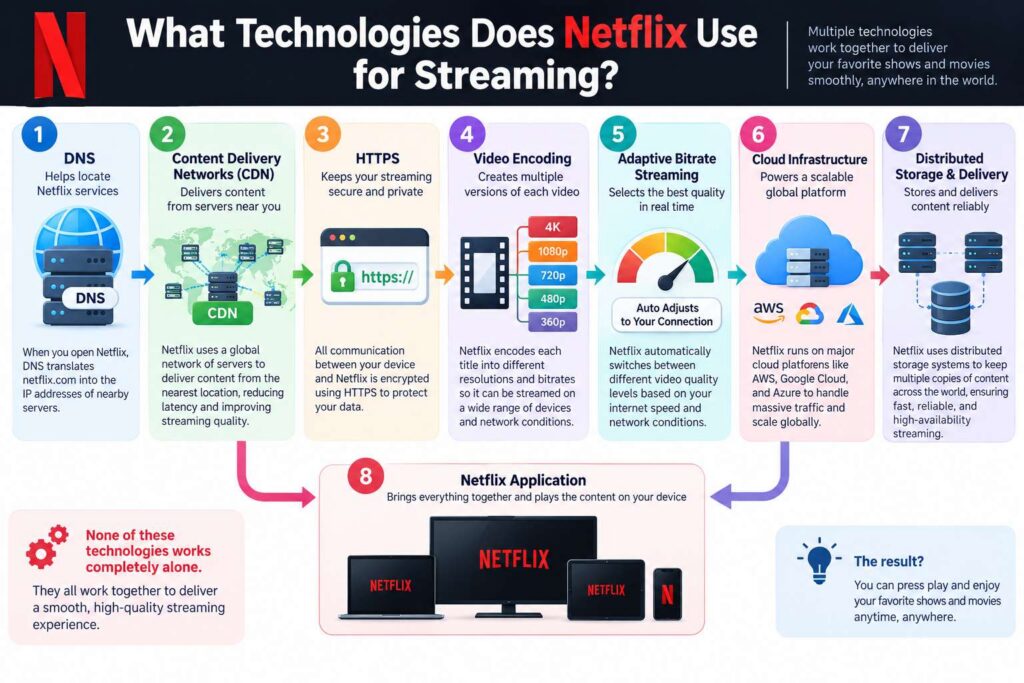
Several technologies work together to make Netflix streaming possible.
These include Content Delivery Networks, DNS, HTTPS, video encoding, adaptive bitrate streaming, cloud infrastructure, and distributed storage and delivery systems.
None of these technologies works completely alone.
DNS helps locate services, distributed servers help deliver content, encoding creates different versions of the video, and adaptive streaming selects appropriate video quality as conditions change.
The Netflix application then brings everything together and plays the content on your device.
Why Netflix Usually Starts Playing So Quickly
A major reason Netflix can begin playback quickly is that it doesn’t need to download the entire movie before you can start watching.
The player can begin with the initial segments while continuing to request additional content in the background.
At the same time, Netflix’s distributed infrastructure helps reduce the distance between the content and the viewer.
This combination of video segmentation, caching, distributed delivery, and adaptive bitrate streaming allows a large video to start playing without waiting for the entire file to arrive.
Final Thoughts
So, how does Netflix deliver video to your device? It involves a chain of technologies working together.
You press Play, your device sends a request, network services help locate the appropriate Netflix infrastructure, and video content is delivered through a distributed system. The video has already been encoded into different versions, allowing the player to choose an appropriate quality.
The movie is then delivered in smaller segments while Netflix continuously responds to changing network conditions. If your connection becomes slower, the system can reduce the bitrate to help avoid buffering. When conditions improve, it can increase quality again.
What looks like a simple tap on the Play button is actually the result of a large and carefully designed video streaming infrastructure working in the background.
Also Read:
- What Is Digital Forensics? How Investigators Trace and Reconstruct a Cyberattack
- Agentic AI Under Attack: How Hackers Can Exploit AI Agents
- What Is a MAC Address?
- How Firewalls Stop Cyberattacks
- Virus vs Worm vs Trojan vs Ransomware: What Is the Difference?
- Why Does My PC Take So Long to Boot? 10 Common Causes and Fixes