
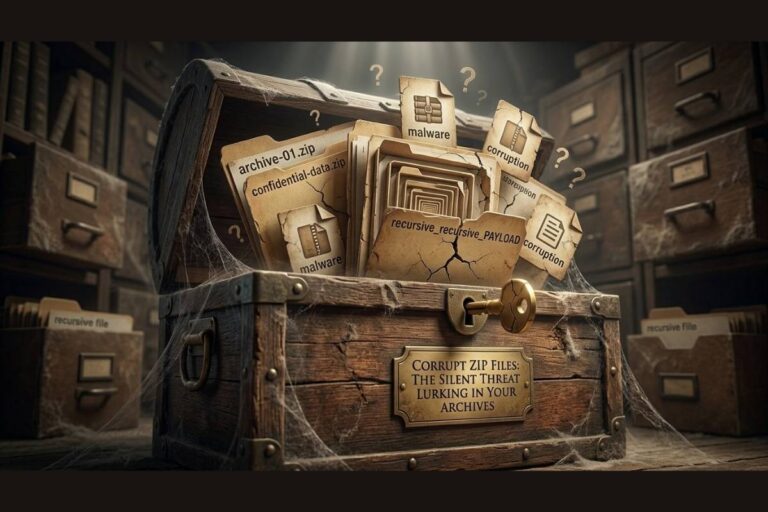
Compressed files are supposed to make life easier.
They save space. Simplify transfers. Organize large collections of documents, photos, videos, software, and backups into convenient archives.
For millions of people, ZIP and RAR files have become trusted containers for valuable information.
That trust may be misplaced.
One of the most overlooked threats in digital storage is compressed file corruption. A ZIP or RAR archive can appear perfectly healthy while silently hiding damaged data within its structure. Everything looks normal until the day you attempt extraction and discover critical files are missing, unreadable, or permanently damaged.
That is what makes corrupt ZIP file risks so dangerous.
The corruption often remains invisible until the exact moment the archive becomes important.
By then, recovery may no longer be possible.
Use Our Free Tool: Corrupt ZIP Online – Free ZIP & Archive Corrupter
Why People Trust Compressed Files
ZIP and RAR archives have been around for decades.
They are widely used by businesses, developers, researchers, students, and everyday users.
Most people see them as reliable storage containers.
Once files are compressed and archived, many users assume the information is protected indefinitely.
That assumption creates a problem.
Compressed files are not magical containers immune to corruption.
They remain vulnerable to the same risks that affect every other form of digital data.
Storage devices fail.
Transfers become interrupted.
Bit rot occurs.
Hardware degrades.
Software encounters errors.
The archive may continue to exist while the data inside slowly becomes compromised.
Understanding Corrupt ZIP File Risks
A corrupted ZIP or RAR file is an archive that contains damaged data, broken structure information, missing components, or altered contents.
Sometimes corruption affects only a single file inside the archive.
Sometimes the archive becomes completely inaccessible.
What makes compressed file corruption particularly frustrating is that damage often affects multiple files simultaneously.
One damaged archive can potentially impact hundreds or even thousands of stored items.
The result is a single point of failure that many users never consider.
When the archive breaks, everything inside becomes vulnerable.
How ZIP and RAR Corruption Happens
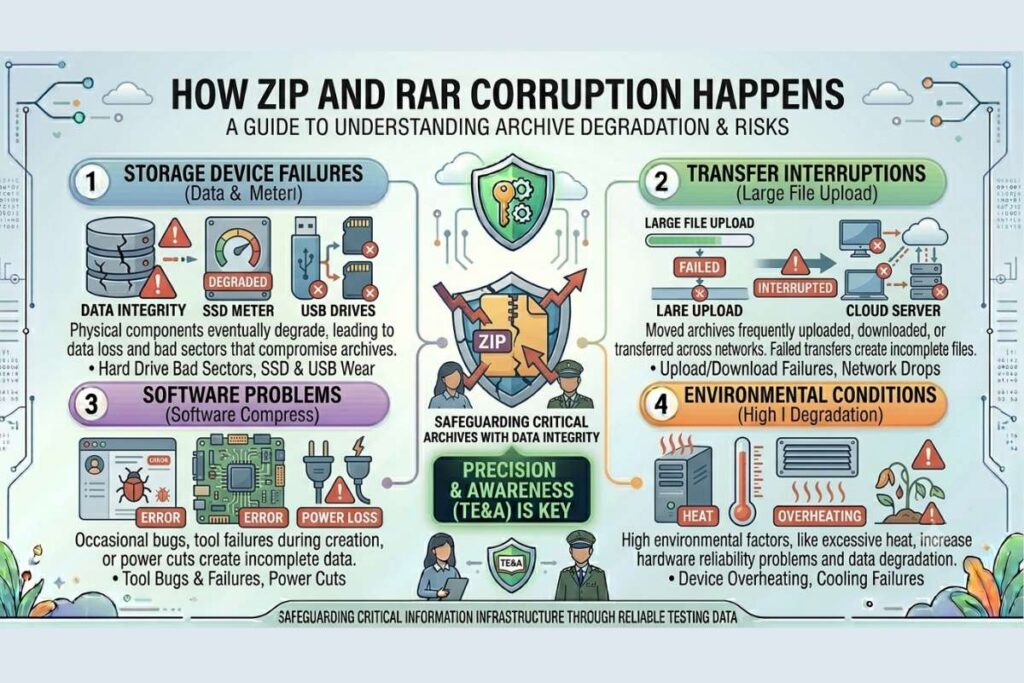
There are numerous causes of archive corruption.
Storage device failures remain one of the most common.
Hard drives develop bad sectors.
Solid state drives experience wear over time.
USB drives and memory cards degrade with use.
Transfer interruptions create another risk.
Large archives are frequently moved between systems, uploaded to cloud storage, downloaded from websites, or transferred across networks.
A failed transfer can leave archives incomplete or damaged.
Software problems also contribute.
Compression tools occasionally encounter bugs or unexpected failures during archive creation.
Power interruptions during compression or extraction can create incomplete files.
Even environmental conditions such as excessive heat may increase storage reliability problems.
Every archive depends on data integrity.
When integrity is compromised, corruption follows.
Also Read: Checksum File Verification: The Trust Test Your Files Are Failing
The Hidden Problem With Long Term Storage
One of the most dangerous aspects of archive corruption involves time.
Many ZIP and RAR files remain untouched for years.
Old project files.
Archived backups.
Historical records.
Family photographs.
Software collections.
Legal documents.
Users often create these archives with the expectation they will remain available indefinitely.
Unfortunately, digital information does not remain static forever.
Bit rot, the gradual degradation of stored information, can affect compressed archives just as easily as any other file type.
A ZIP archive created today may appear healthy.
Five years later, hidden corruption could make portions of that archive unusable.
The longer archives remain untested, the greater the uncertainty surrounding their condition.
Why Archive Corruption Is Hard to Detect
Most forms of corruption do not announce themselves.
A ZIP file may still appear in its folder.
Its file size remains visible.
Its icon looks normal.
Everything appears healthy.
Until extraction begins.
Only then do error messages appear.
Files fail to decompress.
Documents refuse to open.
Images become unreadable.
Applications report missing components.
This delayed discovery creates a false sense of security.
Users trust archives simply because they exist.
Existence and integrity are not the same thing.
Real World Consequences
The consequences of archive corruption can be severe.
Businesses may lose critical project records.
Developers may discover damaged source code archives.
Researchers may lose valuable datasets.
Photographers may lose years of work.
Families may lose irreplaceable memories.
The emotional impact is often significant because archives frequently contain information that cannot be recreated.
Unlike active files that receive regular attention, archives often contain information preserved specifically because it matters.
When corruption destroys those archives, recovery options may be limited.
Why Backups Inside ZIP Files Create Additional Risk
Many users store backups inside compressed archives.
This seems logical.
Compression reduces storage requirements and simplifies organization.
However, it also introduces additional risk.
If corruption affects the archive, every file contained within that archive becomes vulnerable.
Instead of losing one file, users may lose hundreds.
This is why professionals often combine archive storage with integrity verification.
Compression improves convenience.
Verification improves confidence.
Both are necessary when preserving important information.
How Attackers Exploit Archive Trust
Cybercriminals understand that people trust compressed files.
ZIP and RAR archives are frequently used to distribute software, documents, updates, and downloads.
Attackers often take advantage of this trust.
Malicious files can be hidden inside compressed archives.
Tampered downloads may appear legitimate.
Users frequently focus on whether extraction succeeds rather than whether the contents remain trustworthy.
This creates opportunities for deception.
Archive integrity is not merely a storage issue.
It is also a security issue.
Trust without verification creates risk.
How to Protect Against Corrupt ZIP File Risks
The first step is accepting that archives can fail.
Once that reality is understood, protection becomes easier.
Maintain multiple copies of important archives.
Store backups in separate locations.
Periodically extract archived files to verify functionality.
Replace aging storage devices before failures occur.
Avoid relying on a single archive as the only copy of important information.
Most importantly, validate archive integrity regularly.
Files should prove they remain healthy rather than simply being assumed healthy.
The Role of Checksum Verification
One of the most effective defenses against archive corruption is checksum verification.
Checksums act like digital fingerprints.
When an archive is created, a checksum can be generated and stored separately.
Later, the checksum can be recalculated and compared against the original value.
If the values match, the archive remains unchanged.
If the values differ, corruption or modification has occurred.
Checksum verification transforms uncertainty into confidence.
It is one of the most powerful tools available for detecting silent corruption.
Learn more about integrity verification from https://www.nist.gov.
Why Archive Testing Matters
Creating archives is easy.
Testing archives requires effort.
Unfortunately, many people focus entirely on creation while ignoring verification.
This creates a dangerous gap.
An archive should never be considered reliable simply because it exists.
Reliability comes from testing.
Open archived files periodically.
Extract documents.
Review photographs.
Verify software installations.
Confirm that important information remains accessible.
Testing today is far less painful than discovering corruption during an emergency.
Why This Matters More Than Ever
The amount of digital information being generated continues to grow at extraordinary rates.
Organizations store enormous archives.
Individuals preserve decades of memories.
Developers maintain extensive software repositories.
Researchers collect massive datasets.
As digital storage expands, archive reliability becomes increasingly important.
The value of preserved information often increases over time.
Unfortunately, so does the potential impact of corruption.
Understanding corrupt ZIP file risks helps individuals and organizations protect information before silent damage becomes permanent loss.
For additional cybersecurity insights, file integrity discussions, and digital preservation guidance, visit filecorrupter.org.
Additional trusted resources:
https://www.digitalpreservation.gov
Frequently Asked Questions
What causes ZIP file corruption?
ZIP file corruption can result from storage failures, interrupted transfers, software bugs, malware, hardware degradation, and bit rot.
Can corrupted ZIP files be repaired?
Sometimes. Certain archive repair tools can recover damaged archives, but successful recovery depends on the extent of the corruption.
Are RAR files safer than ZIP files?
Both formats are generally reliable. However, neither format is immune to corruption caused by storage problems or data degradation.
How can I verify archive integrity?
Regular extraction testing and checksum verification provide effective methods for confirming archive integrity.
Final Thought
The most dangerous archive is not the one that fails immediately.
It is the one that quietly waits years before revealing its damage.
Corrupt ZIP file risks remind us that digital preservation requires more than storage. Information must be verified, tested, and maintained if it is expected to survive long term.
Compressed files provide convenience.
Integrity provides confidence.
The difference between the two can determine whether valuable information remains available or disappears forever.
The oldest ZIP file on your computer may contain information you can never replace. The only question is whether that information is still there.
Explore More Free Tools
Hash Generator Tool
Generate secure MD5, SHA1, SHA256, and other cryptographic hashes instantly online.
Open Tool →Dummy File Generator
Create sample dummy files of custom sizes for testing uploads, storage, and applications.
Open Tool →Password Strength Checker
Analyze password security and identify weak passwords before using them online.
Open Tool →File Hash Checker
Verify file integrity by checking MD5, SHA256, and other file hash signatures.
Open Tool →UUID Generator
Generate random UUIDs and unique identifiers instantly for apps, APIs, and databases.
Open Tool →Text Diff Checker
Compare two text blocks side by side and quickly detect additions, deletions, and edits.
Open Tool →