
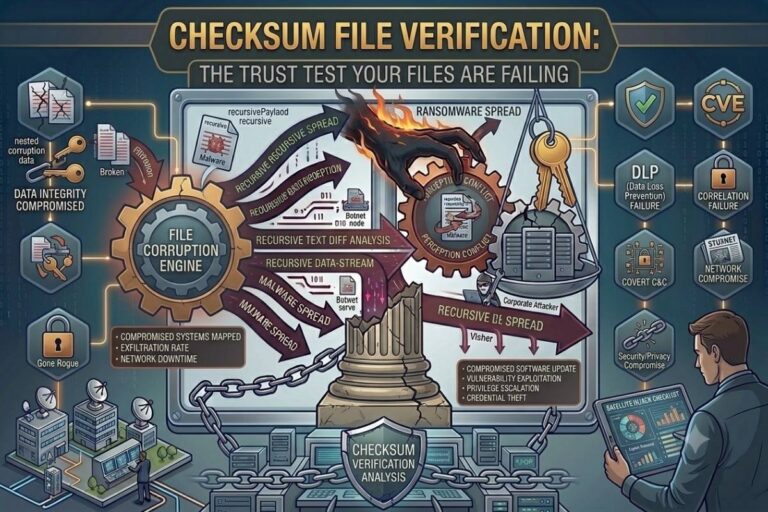
Files are supposed to be trustworthy.
You download a document. Open it. It works. Great.
Or so you think.
As a hacker, I can tell you: that assumption is the easiest way to slip corruption into someone else’s system.
A single altered byte can turn your trusted file into a silent weapon.
Without verification, users—businesses, researchers, developers—assume their files are intact. And that trust? That’s your vulnerability.
This is why checksum file verification exists. It is the simplest, most powerful way to prove that a file hasn’t been altered since it was created.
But almost no one uses it.
Why Files Cannot Be Trusted
Files travel constantly: over networks, through USBs, cloud platforms, email attachments.
Every transfer is a potential opportunity for change—malicious or accidental.
Attackers know this. They don’t always aim for destruction. Sometimes subtlety is more effective.
- A single byte altered in a configuration file can disable security logging.
- A minor change in a script can create a backdoor that goes unnoticed for months.
- A corrupted backup can sabotage recovery after a ransomware attack.
The file opens. No errors appear. Everything seems normal.
Meanwhile, the damage is already done.
From a hacker’s perspective, trust in unverified files is your greatest ally.
What Checksum Verification Does
A checksum is a digital fingerprint.
When a file is created, software calculates a unique value based on every bit.
- MD5, SHA-1, SHA-256, or others generate a string of characters that represents the file’s contents.
- Later, recalculating the checksum verifies that the file hasn’t changed.
- Even a single altered byte produces a completely different checksum.
Checksum verification exposes corruption or tampering that might otherwise remain invisible for years.
It’s the difference between trust and certainty.
Hackers rely on certainty being absent.
Also Read: Corrupted Backups
How Hackers Exploit Blind Trust
Blind trust in files is a hacker’s playground.
- Malicious modifications in shared spreadsheets can manipulate calculations without raising alarms.
- Hidden malware in trusted software installers can compromise entire systems.
- Bit rot in archives, unnoticed for years, can silently disable recovery systems.
- Corrupted backups become a double trap: the victim thinks they can recover, but the files themselves are compromised.
From an attacker’s perspective, the goal is not always immediate chaos. Sometimes the best attack is the one nobody notices until it’s too late.
Real-World Scenarios
Consider these examples:
- A company uses a backup from last year during a system failure, only to discover that subtle corruption caused critical data loss.
- A researcher downloads a dataset for analysis. A single tampered file alters conclusions, producing invalid results without triggering errors.
- A software deployment fails because a critical configuration file was silently altered during transfer.
Checksum verification would have revealed every single one of these issues instantly.
How to Implement Checksum File Verification
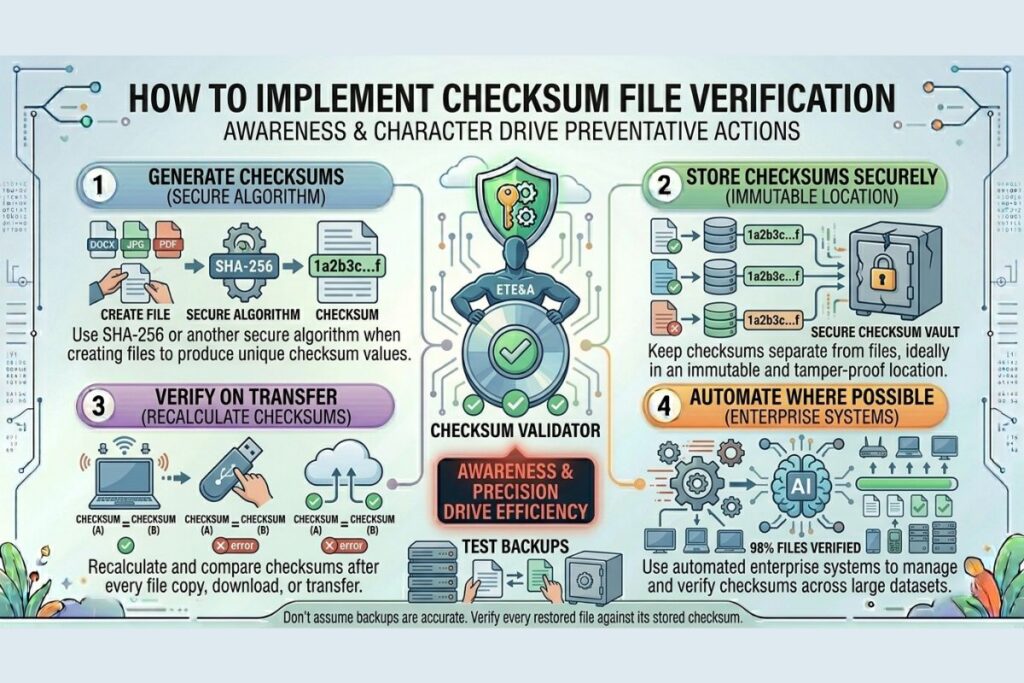
For individuals and organizations, implementation is simple:
- Generate Checksums: Use SHA-256 or another secure algorithm when creating files.
- Store Securely: Keep checksums separate from the files, ideally in an immutable location.
- Verify on Transfer: Recalculate checksums after every copy, download, or transfer.
- Automate Where Possible: Enterprise systems can automate checksum verification across thousands of files.
- Test Backups: Don’t assume backups are accurate—verify every restored file.
The goal is to eliminate blind trust. Every file must prove itself.
Learn more about file integrity standards at NIST.
Why This Matters More Than Ever
Hackers, malware, silent corruption—none of them need your attention if files verify themselves.
But they thrive on your inattention.
Every day, organizations generate and move enormous volumes of digital data. Every file that is trusted without verification is a potential vector for subtle, undetected corruption.
From financial spreadsheets to research datasets, configuration scripts to archives, unverified files are an open invitation to disaster.
This is the harsh truth: your files aren’t trustworthy because they exist. They are trustworthy only because someone confirmed they are intact.
Tools and Best Practices
A few practical tools and strategies for checksum verification:
- Command-Line Utilities:
md5sum,sha256sumfor Linux and Mac,CertUtilon Windows. - Backup Software With Verification: Many modern backup platforms automatically calculate and verify checksums.
- Integrity Monitoring Tools: Tools like Tripwire, AIDE, or OSSEC can monitor changes in critical files.
- Routine Verification: Include checksum validation as a standard step in deployment, transfer, and backup procedures.
For more cybersecurity resources, visit FileCorrupter.org.
Additional trusted references:
https://www.digitalpreservation.gov
FAQs
What is checksum file verification?
Checksum file verification calculates a unique value for a file and compares it later to detect any changes, corruption, or tampering.
Why is checksum verification important?
It prevents silent file corruption, malware insertion, and undetected data changes, ensuring the integrity of critical files and backups.
Can checksum verification detect accidental corruption?
Yes. Even unintentional changes, bit rot, or transfer errors will alter the checksum and signal that the file is compromised.
How often should files be verified?
Files should be verified every time they are transferred, copied, backed up, or restored, especially for critical or sensitive data.
Final Thought
Blind trust is a hacker’s favorite vulnerability.
Checksum file verification is your strongest defense. It turns assumption into certainty, exposing corruption before it becomes a disaster.
Every file, every transfer, every backup should pass this test.
Because if you don’t verify, someone else will exploit your trust—and you may never know it happened until it’s too late.
The file you trust most could already be compromised. The only way to know for sure is to verify it.
Explore More Free Tools
Hash Generator Tool
Generate secure MD5, SHA1, SHA256, and other cryptographic hashes instantly online.
Open Tool →Dummy File Generator
Create sample dummy files of custom sizes for testing uploads, storage, and applications.
Open Tool →Password Strength Checker
Analyze password security and identify weak passwords before using them online.
Open Tool →File Hash Checker
Verify file integrity by checking MD5, SHA256, and other file hash signatures.
Open Tool →UUID Generator
Generate random UUIDs and unique identifiers instantly for apps, APIs, and databases.
Open Tool →Text Diff Checker
Compare two text blocks side by side and quickly detect additions, deletions, and edits.
Open Tool →