
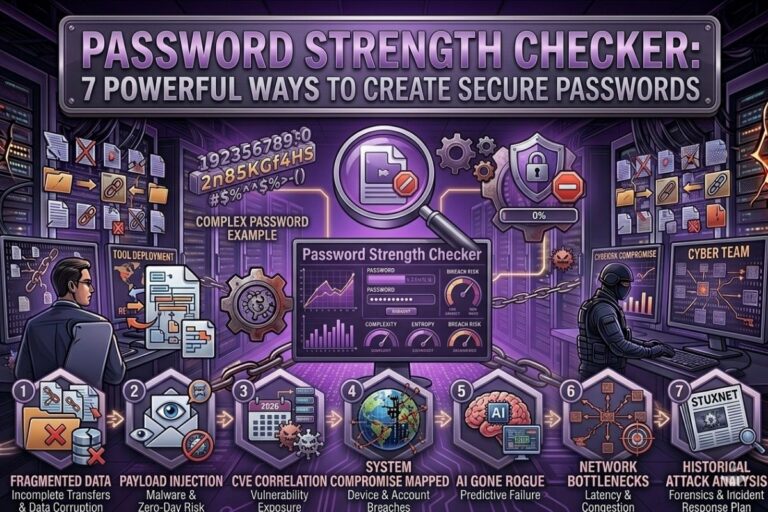
Cybercriminals do not always break into systems using advanced hacking techniques. In many cases, they simply log in using weak passwords. That is why using a reliable Password Strength Checker is one of the smartest cybersecurity decisions you can make today.
At FileCorrupter.org, we created a Password Strength Checker designed to help users identify weak passwords before attackers exploit them. Password security is no longer optional. Whether you are protecting your email, banking information, cloud storage, or business accounts, weak credentials create serious vulnerabilities.
Password Strength Checker
Test your password security instantly with our free Password Strength Checker tool. Detect weak passwords, improve account security, and create stronger credentials to protect your online accounts from hacking attempts and data breaches.
Open Password Checker →- ✔ Instant Password Analysis
- ✔ Detect Weak Passwords
- ✔ Secure & Privacy Friendly
- ✔ Free Online Tool
- ✔ No Login Required
Many users believe their passwords are secure simply because they include numbers or special characters. Unfortunately, modern password cracking tools are far more advanced than most people realize. Hackers use automated software capable of testing millions of password combinations every second.
This guide explains how a Password Strength Checker works, why password security matters, how hackers crack weak credentials, and how you can dramatically improve your online protection.
What Is a Password Strength Checker?
A Password Strength Checker is a cybersecurity tool that analyzes the strength and complexity of a password. The goal is to determine how resistant that password is against modern cyberattacks.
A strong Password Strength Checker evaluates several factors, including:
- Password length
- Character variety
- Uppercase and lowercase letters
- Numbers
- Symbols and special characters
- Predictable patterns
- Dictionary words
- Password repetition
- Known breached passwords
The Password Strength Checker available on FileCorrupter.org helps users instantly identify weak passwords and improve their overall cybersecurity habits.
The reality is simple. Weak passwords are one of the easiest attack vectors for cybercriminals.
Why Password Security Matters More Than Ever
Cybercrime continues to increase worldwide. According to IBM Security, stolen credentials remain one of the leading causes of data breaches.
Hackers understand that many users:
- Reuse passwords
- Use short passwords
- Create predictable passwords
- Use personal information
- Ignore password hygiene
This creates enormous opportunities for attackers.
A compromised password can lead to:
- Identity theft
- Financial fraud
- Email compromise
- Business breaches
- Cloud account takeovers
- Ransomware infections
Many people underestimate how quickly weak passwords can be cracked.
For example:
Password123Welcome1Admin2026Qwerty123
These passwords may appear secure to humans, but automated cracking tools can destroy them almost instantly.
How Hackers Crack Weak Passwords
Understanding attacker methods helps explain why using a Password Strength Checker is critical.
Brute Force Attacks
Brute force attacks systematically test password combinations until the correct password is discovered.
As computing power increases, weak passwords become easier to crack.
y=94x
The number of possible combinations grows exponentially as password length increases.
An 8 character password is dramatically weaker than a 16 character password.
Dictionary Attacks
Hackers use massive databases of common passwords and leaked credentials.
These databases contain:
- Common words
- Keyboard patterns
- Predictable substitutions
- Frequently reused passwords
Replacing letters with symbols does not automatically create security.
Examples:
P@sswordAdm1nWelcome!
Attackers already anticipate these substitutions.
Credential Stuffing
Credential stuffing occurs when hackers use leaked usernames and passwords from previous data breaches to access additional accounts.
This is why password reuse is extremely dangerous.
If one website gets compromised and you reuse that same password elsewhere, attackers may gain access to:
- Your email
- Banking accounts
- Cloud storage
- Social media accounts
- Work systems
According to CISA Cybersecurity Resources, password reuse remains one of the most common cybersecurity mistakes online.
Signs Your Password Is Weak
Your password may be vulnerable if it:
- Contains fewer than 12 characters
- Uses personal information
- Includes dictionary words
- Uses repetitive patterns
- Relies on simple substitutions
- Contains sequential numbers
- Matches old passwords
Weak password examples include:
Summer2026Football123Jessica1988Dragon1
These passwords are predictable and highly vulnerable.
A Password Strength Checker helps identify these weaknesses immediately.
What Makes a Strong Password?
A strong password should be:
- Long
- Unique
- Random
- Difficult to predict
Examples of stronger passwords:
BlueTiger$River92Orbit!Glass#Mountain7Quantum&Falcon88!Storm
Longer passwords create exponentially stronger protection.
Cybersecurity experts generally recommend passwords with:
- At least 14 to 16 characters
- Mixed character types
- No personal information
- Unique structures
The stronger the password, the harder it becomes for attackers to compromise your accounts.
Why Password Length Is More Important Than Complexity
Many users focus only on symbols and numbers. While complexity matters, password length is often even more important.
A long passphrase is typically stronger than a short complex password.
Example:
- Weak:
P@ss1 - Strong:
MidnightCoffee!RiverTrain92
Long passphrases increase entropy and create significantly more resistance against brute force attacks.
According to National Institute of Standards and Technology recommendations, longer passwords provide better protection than overly complicated short passwords.
How Password Managers Improve Security
Remembering dozens of strong passwords is difficult for most users. This is where password managers become valuable.
Password managers:
- Generate strong passwords
- Store credentials securely
- Reduce password reuse
- Improve account security
Popular password managers include:
Using a password manager alongside a Password Strength Checker creates a much stronger cybersecurity posture.
Why Multi Factor Authentication Matters
Even strong passwords are not perfect. Multi Factor Authentication adds another layer of protection.
MFA requires:
- Something you know
- Something you have
- Something you are
Examples include:
- Authentication apps
- Hardware tokens
- Biometrics
- SMS verification codes
Even if attackers steal your password, MFA can stop unauthorized access attempts.
At FileCorrupter.org, we strongly encourage users to combine strong passwords with MFA whenever possible.
The Psychology Behind Weak Passwords
Human behavior plays a major role in cybersecurity.
People naturally choose passwords that are:
- Easy to remember
- Familiar
- Convenient
Hackers understand these patterns extremely well.
Cybercriminals study:
- Human habits
- Common naming conventions
- Seasonal trends
- Popular sports teams
- Keyboard patterns
This psychological predictability makes weak passwords highly exploitable.
A Password Strength Checker helps users think more like defenders instead of victims.
😄 Cyber Joke
Why did the hacker hate strong passwords?
Because “password123” was their retirement plan! 😄
Common Password Security Mistakes
Many users unintentionally create security risks by:
- Writing passwords on paper
- Saving passwords in browsers without protection
- Sharing passwords through email
- Using identical passwords everywhere
- Ignoring breach notifications
These habits significantly increase exposure to cyberattacks.
Good cybersecurity requires discipline and consistency.
How Our Password Strength Checker Helps Users
The Password Strength Checker on FileCorrupter.org was designed to help users:
- Detect weak passwords instantly
- Improve password complexity
- Understand cybersecurity risks
- Build safer online habits
- Reduce exposure to account compromise
Our mission is simple.
We want users to understand that password security is not just a technical issue. It is personal security, financial security, and digital survival.
Additional Cybersecurity Resources
If you want to improve your cybersecurity awareness further, explore these trusted resources:
- CISA Cybersecurity Awareness Program
- NIST Cybersecurity Framework
- OWASP Security Guidance
You can also explore additional cybersecurity tools and resources on FileCorrupter.org.
Final Thoughts on Password Strength Checker Security
Weak passwords remain one of the biggest cybersecurity threats in the modern digital world. Attackers continue to exploit predictable human behavior because many users still underestimate how dangerous weak credentials truly are.
Using a Password Strength Checker is one of the easiest ways to improve your online security immediately.
Strong passwords help protect:
- Your identity
- Your finances
- Your personal information
- Your business systems
- Your digital life
Cybersecurity is no longer only for IT professionals or ethical hackers. Every internet user is now a target.
The question is not whether attackers are trying to crack passwords.
The question is whether your password is strong enough to survive the attack.
Test your credentials today using the Password Strength Checker at FileCorrupter.org and start building stronger digital defenses before cybercriminals exploit weak security habits.
Explore More Free Tools
Hash Generator Tool
Generate secure MD5, SHA1, SHA256, and other cryptographic hashes instantly online.
Open Tool →Dummy File Generator
Create sample dummy files of custom sizes for testing uploads, storage, and applications.
Open Tool →Password Strength Checker
Analyze password security and identify weak passwords before using them online.
Open Tool →File Hash Checker
Verify file integrity by checking MD5, SHA256, and other file hash signatures.
Open Tool →UUID Generator
Generate random UUIDs and unique identifiers instantly for apps, APIs, and databases.
Open Tool →Text Diff Checker
Compare two text blocks side by side and quickly detect additions, deletions, and edits.
Open Tool →