
If you have ever tried to test a file upload system, stress test a server, validate storage limits, or simulate real world file handling behavior, you already know the truth.
Real files are annoying.
They are inconsistent, slow to prepare, and rarely match the exact size or structure you actually need for proper testing.
That is where a Dummy File Generator becomes a critical tool in any developer or cybersecurity toolkit.
This is not a toy. This is infrastructure testing utility logic wrapped in simplicity.
You generate files. You control size. You simulate real system behavior. Instantly.
No setup. No dependencies. No nonsense.
What Is a Dummy File Generator
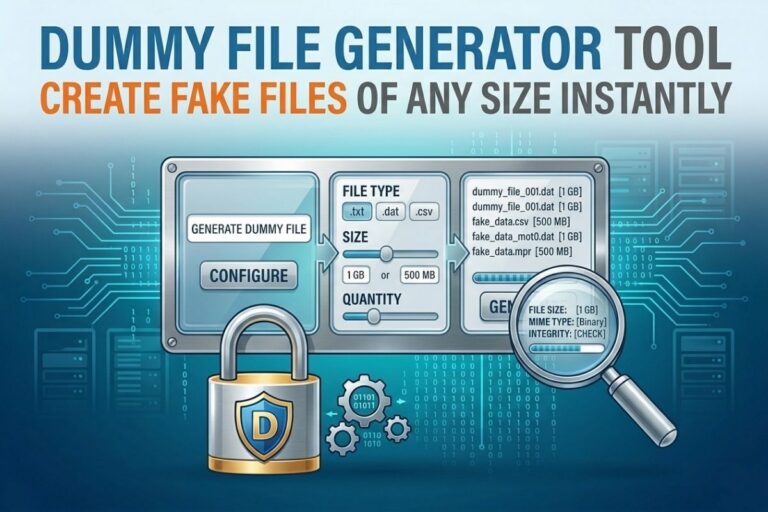
A Dummy File Generator is a tool that creates artificial files for testing purposes.
These files are not real data in the traditional sense. Instead, they are structured or empty payloads designed to simulate file behavior inside systems.
They can be used for:
- Upload testing
- Storage validation
- Bandwidth testing
- API stress testing
- Cybersecurity simulation
- Application debugging
- File handling verification
In simple terms:
It creates fake files so you can break things safely before real users do.
Dummy File Generator
Create dummy files instantly for upload testing, storage benchmarking, software QA, API testing, and development workflows. Generate files in custom sizes without installing any software or creating real data.
Open Dummy File Generator →- ✔ Generate Custom Size Files
- ✔ Useful for Upload Testing
- ✔ Fast Browser-Based Tool
- ✔ Supports QA & Development Workflows
- ✔ Free & No Signup Required
Why Developers and Security Engineers Actually Need This
Let’s be blunt.
Real systems do not fail because of normal usage.
They fail because edge cases were never tested.
A Dummy File Generator helps you simulate those edge cases.
Here is what it solves in real environments:
1. Upload Limit Testing
Every system has a max file size limit.
But many developers only test with small sample files.
Then production hits a 50MB or 2GB upload and everything collapses.
This tool fixes that.
You generate a file of exact size and test limits properly.
2. Storage Stress Testing
Storage systems behave differently under pressure.
A dummy file generator lets you:
- Fill storage intentionally
- Simulate disk exhaustion
- Validate cleanup scripts
- Test retention policies
3. API Behavior Testing
Many APIs behave unpredictably when handling large payloads.
This tool lets you simulate:
- Large multipart uploads
- Streaming failures
- Timeout conditions
- Buffer overflows
4. Cybersecurity Testing Scenarios
In cybersecurity, file handling is one of the most exploited vectors.
You can use dummy files to test:
- Upload sanitization rules
- Malware scanning pipelines
- File type validation bypass attempts
- Injection into file metadata handling
This is where offensive security thinking becomes defensive strength.
Also Read : Hash Generator Tool Online Secure MD5 SHA256 Hash Creator Instantly
5. Performance Benchmarking
You cannot optimize what you do not measure.
Dummy files allow you to:
- Measure upload speed
- Benchmark server throughput
- Test CDN behavior
- Validate compression pipelines
How a Dummy File Generator Works
Most implementations are surprisingly simple.
The system does one of two things:
Method 1 Fill Pattern Generation
It creates a file filled with repeating bytes or characters until a target size is reached.
Example logic:
- Choose file size
- Choose format
- Generate byte stream
- Output file
Method 2 Zero Fill Allocation
It creates a file allocated with empty space but reported as full size.
This is faster and often used for large test files like:
- 100MB
- 1GB
- 10GB simulation files
Method 3 Structured Fake Content
Some tools generate readable dummy data:
- Fake JSON files
- Fake CSV datasets
- Fake logs
- Fake media containers
This is useful for application layer testing.
😄 Cyber Joke
Why did the developer create a 10GB dummy file?
Because downloading real data sounded like too much work! 😄
Real World Use Cases in Cybersecurity
Since you are building in the MSSP and ethical hacking space, this matters more than most people realize.
Let’s get specific.
Testing File Upload Exploits
Attackers often abuse file uploads through:
- Oversized payloads
- Polyglot files
- Fake extensions
- MIME type confusion
A dummy file generator lets you replicate attack conditions safely.
WAF and Security Rule Testing
You can test:
- Web Application Firewalls
- Intrusion detection systems
- File scanning pipelines
Without using malicious payloads.
Incident Response Simulation
You can simulate:
- Storage exhaustion attacks
- Log flooding scenarios
- File system saturation events
This helps validate response playbooks.
Compliance Validation
If you are dealing with regulated environments, you often need to prove:
- Upload limits are enforced
- Data retention rules work
- Storage policies are enforced
Dummy files make that measurable.
Key Features of a Good Dummy File Generator Tool
If you are building or using one, it should include:
1. Custom File Size Control
From kilobytes to multiple gigabytes.
2. File Type Selection
- TXT
- CSV
- JSON
- BIN
- LOG
- PDF placeholders
3. Fast Generation Engine
No lag. No browser freeze. Instant output.
4. Download Ready Output
Direct file download for testing environments.
5. Bulk Generation Mode
Generate multiple files at once for stress testing.
Who Actually Uses This Tool
This is not just for developers.
It is used by:
- Cybersecurity engineers
- MSSP analysts
- QA testers
- DevOps teams
- Cloud engineers
- Penetration testers
- Software developers
If you touch systems that handle files, you need this.
Common Mistakes When Testing Without Dummy Files
Let’s call this out directly.
Mistake 1 Testing only small files
This leads to false confidence.
Mistake 2 Ignoring edge size behavior
Systems often fail at thresholds, not averages.
Mistake 3 Not testing concurrent uploads
File systems behave differently under parallel load.
Mistake 4 No storage exhaustion testing
This leads to catastrophic production failures.
Security Insight You Should Not Ignore
File uploads are still one of the most abused entry points in web applications.
Even modern systems fail when:
- Validation is bypassed
- Size limits are improperly enforced
- Streaming uploads overwhelm memory buffers
A Dummy File Generator is not just a convenience tool.
It is part of a defensive testing strategy.
Advanced Use Cases
Simulated Data Breach Drills
Generate large fake data dumps to simulate:
- Exfiltration scenarios
- Backup stress tests
- Incident response timing
Cloud Storage Cost Testing
You can simulate:
- S3 bucket growth
- Azure blob scaling
- GCP storage billing thresholds
Log Pipeline Stress Testing
Generate large log files to test:
- SIEM ingestion
- Log normalization systems
- Real time alerting thresholds
Final Thoughts
A Dummy File Generator might look simple on the surface.
But in real engineering and cybersecurity environments, it becomes a foundational testing utility.
It exposes weak systems before attackers do.
It validates infrastructure under pressure.
It gives you control over scenarios most teams never test properly.
If you are serious about building secure systems or running a security practice, this is not optional tooling.
It is baseline capability.
Explore More Free Tools
Hash Generator Tool
Generate secure MD5, SHA1, SHA256, and other cryptographic hashes instantly online.
Open Tool →Dummy File Generator
Create sample dummy files of custom sizes for testing uploads, storage, and applications.
Open Tool →Password Strength Checker
Analyze password security and identify weak passwords before using them online.
Open Tool →File Hash Checker
Verify file integrity by checking MD5, SHA256, and other file hash signatures.
Open Tool →UUID Generator
Generate random UUIDs and unique identifiers instantly for apps, APIs, and databases.
Open Tool →Text Diff Checker
Compare two text blocks side by side and quickly detect additions, deletions, and edits.
Open Tool →