
Accuracy matters. In cybersecurity, software development, digital forensics, and content management, even the smallest text modification can create massive consequences.
One altered command.
One hidden line.
One modified configuration setting.
That is all it takes.
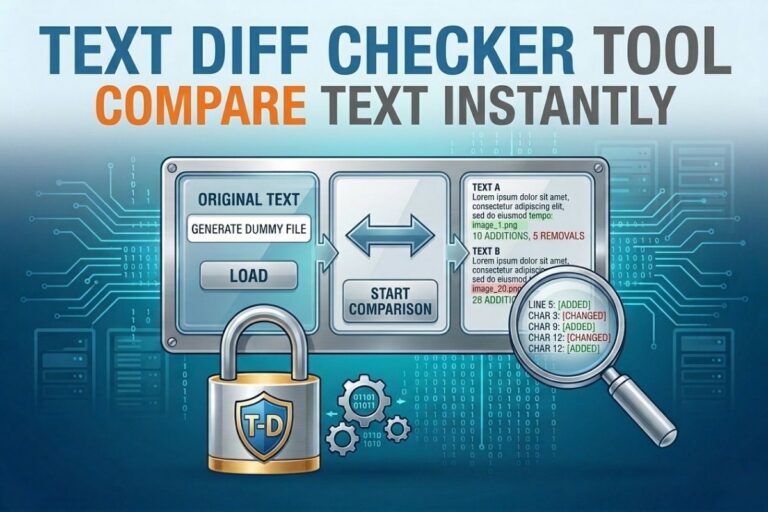
A Text Diff Checker gives you the ability to instantly compare two blocks of text and identify every single difference with precision. Instead of manually reviewing lines for hidden edits, the tool automatically highlights additions, removals, and modifications in seconds.
For professionals who work with critical information, this is not just another utility. It is a defensive weapon against mistakes, manipulation, and overlooked changes.
What is a Text Diff Checker
A Text Diff Checker is a tool designed to compare two versions of text and reveal all differences between them.
The tool identifies:
Added text
Removed text
Modified content
Unchanged sections
This allows users to quickly analyze edits without wasting time manually reviewing documents, code, logs, or configuration files.
In technical environments, speed and accuracy matter. A Text Diff Checker delivers both.
Text Diff Checker
Compare two text blocks instantly and identify differences with precision. Perfect for developers, writers, editors, coders, and content reviewers who need to detect additions, deletions, formatting changes, or modified text quickly.
Open Text Diff Checker →- ✔ Compare Two Text Files Instantly
- ✔ Detect Added & Removed Content
- ✔ Useful for Developers & Writers
- ✔ Fast Browser-Based Comparison
- ✔ Free Online Tool
Why a Text Diff Checker is Important
Modern systems move fast. Files change constantly. Developers update code. Administrators modify configurations. Analysts review logs. Writers revise content.
The problem is simple:
Humans are not good at spotting tiny differences in large amounts of text.
That is where a Text Diff Checker becomes essential.
It eliminates guesswork and provides immediate visual confirmation of exactly what changed.
This is especially valuable when working with:
Source code
Server configurations
Security policies
Database exports
Application logs
Documentation
Scripts and automation files
Also Read: Dummy File Generator Tool: Create Fake Files of Any Size Instantly for Testing and Development
Cybersecurity and the Importance of Text Comparison
In cybersecurity, attackers often rely on subtle modifications that are difficult to detect manually.
Examples include:
Altering firewall rules
Changing user permissions
Injecting malicious commands into scripts
Modifying authentication settings
Disabling security logging
These changes are often small enough to blend into legitimate configurations.
A Text Diff Checker exposes these modifications instantly.
This makes the tool valuable for:
Threat detection
Incident response
Configuration auditing
Malware analysis
Forensic investigations
Cybersecurity professionals cannot afford to overlook tiny changes because attackers count on exactly that.
😄 Cyber Joke
Why did the developer use a diff checker?
Because finding tiny text changes manually is a horror story! 😄
Key Features of a Text Diff Checker
A powerful Text Diff Checker should provide speed, visibility, and precision.
Instant Text Comparison
The tool immediately compares two text inputs and generates results in real time.
Difference Highlighting
Added, removed, and modified content is visually separated for easy analysis.
Side by Side View
Allows users to compare original and updated text simultaneously.
Line by Line Analysis
Perfect for developers and analysts who need structured comparisons.
Character Level Detection
Even single character edits are detected and highlighted.
Large Text Support
Useful for long files, logs, scripts, and codebases.
How the Text Diff Checker Works
The process is simple but extremely effective.
First, the tool receives two blocks of text.
Then it breaks the content into structured segments such as lines or words.
Next, comparison algorithms analyze both inputs and identify:
Matching content
Inserted content
Deleted content
Modified content
Finally, the results are displayed visually so users can immediately identify differences.
The result is faster analysis with significantly fewer errors.
Practical Use Cases
A Text Diff Checker has real world value across multiple industries.
Software Development
Developers use diff tools daily for:
Code reviews
Version comparisons
Debugging
Patch validation
Cybersecurity Operations
Security teams compare:
System configurations
Security policies
Audit logs
Incident artifacts
Digital Forensics
Forensic analysts compare files before and after incidents to identify suspicious modifications.
Technical Writing
Writers and editors use diff tools to track revisions and maintain content integrity.
Compliance and Auditing
Organizations compare policies and records to verify regulatory consistency.
Why Developers Depend on Diff Tools
In software engineering, a single line of code can determine whether an application succeeds or fails.
A Text Diff Checker helps developers:
Track updates
Review pull requests
Find syntax errors
Detect unauthorized edits
Validate deployments
Without comparison tools, development becomes slower, riskier, and far more error prone.
That is why diff checking is deeply integrated into modern version control systems and development pipelines.
Why Cybersecurity Professionals Need This Tool
Cybersecurity is about visibility and control.
A Text Diff Checker provides both.
When comparing files during investigations or audits, analysts need immediate clarity regarding what changed and where it changed.
This tool helps identify:
Malicious code injections
Unauthorized configuration edits
Privilege escalation attempts
Persistence mechanisms
Tampered log files
In a threat environment where attackers intentionally hide their activity, precision comparison becomes a tactical advantage.
Step by Step Guide to Using the Text Diff Checker
Using the tool is straightforward.
Step one
Paste the original text into the first input field.
Step two
Paste the updated or modified text into the second field.
Step three
Click the compare button.
Step four
Review highlighted differences.
Step five
Copy or export results if needed.
The process takes seconds and eliminates the frustration of manual comparison.
Benefits of Using a Text Diff Checker
Faster Analysis
Instant comparison dramatically reduces review time.
Improved Accuracy
Every modification is identified automatically.
Better Security Visibility
Unexpected changes become obvious immediately.
Reduced Human Error
Manual comparison mistakes are eliminated.
Increased Productivity
Teams spend less time reviewing changes and more time solving problems.
Professional Workflow Integration
Fits naturally into development, auditing, and cybersecurity operations.
Common Mistakes When Comparing Text Manually
Manual comparison creates serious risks.
Professionals often:
Miss hidden changes
Overlook spacing differences
Ignore formatting modifications
Lose track of version history
Become fatigued during large reviews
A Text Diff Checker solves these problems through automated precision analysis.
Advanced Use Cases for Ethical Hackers and Analysts
Ethical hackers and advanced analysts use diff checking for:
Payload comparison
Script validation
Configuration baselining
Malware behavior analysis
Reconnaissance tracking
For example, during penetration testing, analysts may compare pre engagement and post engagement configurations to identify security gaps or unauthorized changes.
This level of visibility supports better reporting and stronger defensive recommendations.
Frequently Asked Questions
What does a Text Diff Checker do
It compares two blocks of text and highlights all differences between them.
Is it useful for developers
Yes. Developers use diff tools constantly for code reviews and debugging.
Can cybersecurity professionals use it
Absolutely. It is valuable for detecting unauthorized modifications and auditing configurations.
Does it work with large text files
Yes. Most Text Diff Checkers are designed to handle large text inputs efficiently.
Is installation required
No. Browser based tools work instantly without installation.
Conclusion
A Text Diff Checker is one of the most practical and powerful utilities for anyone working with digital information.
In cybersecurity, development, and technical operations, tiny changes can create enormous consequences. This tool ensures those changes never go unnoticed.
It delivers speed, accuracy, visibility, and control in environments where precision matters most.
For ethical hackers, developers, analysts, and security professionals, a Text Diff Checker is not just helpful. It is essential.
Explore More Free Tools
Hash Generator Tool
Generate secure MD5, SHA1, SHA256, and other cryptographic hashes instantly online.
Open Tool →Dummy File Generator
Create sample dummy files of custom sizes for testing uploads, storage, and applications.
Open Tool →Password Strength Checker
Analyze password security and identify weak passwords before using them online.
Open Tool →File Hash Checker
Verify file integrity by checking MD5, SHA256, and other file hash signatures.
Open Tool →UUID Generator
Generate random UUIDs and unique identifiers instantly for apps, APIs, and databases.
Open Tool →Text Diff Checker
Compare two text blocks side by side and quickly detect additions, deletions, and edits.
Open Tool →