
In cybersecurity, trust is not assumed. It is verified.
Every file that enters a system carries risk. It might be clean, or it might be altered, corrupted, or weaponized. Attackers do not always change what you see. They change what you do not see. That is where file hashing becomes a front-line defense mechanism.
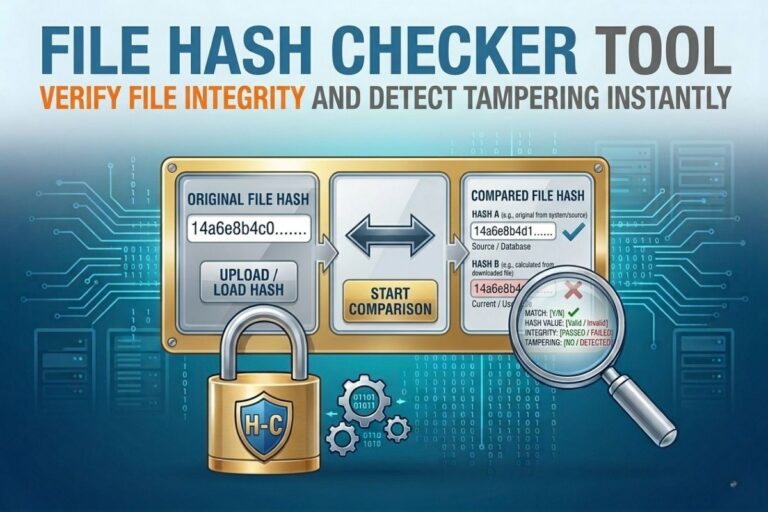
The File Hash Checker Tool gives you the ability to validate file integrity in seconds using cryptographic hash functions like MD5, SHA 1, SHA 256, and SHA 512. Whether you are an ethical hacker, security analyst, or small business owner trying to reduce attack surface, this tool gives you immediate visibility into file authenticity.
No guessing. No assumptions. Just mathematical proof.
WHAT IS A FILE HASH?
A file hash is a fixed length string generated from a file using a cryptographic algorithm. It acts like a digital fingerprint.
If even a single byte in the file changes, the hash output changes completely.
That is the core power of hashing.
For example:
A clean installer file produces one hash value.
A modified or infected version produces a completely different one.
Even if the file name stays identical, the hash exposes the truth.
Common hashing algorithms include:
- MD5 (fast but outdated for security critical validation)
- SHA 1 (legacy use, still found in older systems)
- SHA 256 (industry standard for integrity verification)
- SHA 512 (high security environments and forensic use)
File Hash Checker
Verify file integrity and confirm authenticity using MD5, SHA1, SHA256, and other hash algorithms. Ideal for developers, security professionals, downloads verification, and ensuring files have not been modified or corrupted.
Open File Hash Checker →- ✔ Verify File Integrity Instantly
- ✔ Supports MD5, SHA1 & SHA256
- ✔ Detect Corrupted or Modified Files
- ✔ Secure Browser-Based Processing
- ✔ Free Online Verification Tool
WHY FILE HASH CHECKING MATTERS IN CYBERSECURITY
Attackers rarely announce themselves. They embed malware into trusted files, modify downloads, or inject malicious payloads into supply chains.
This is where file hash verification becomes critical.
1. DETECT FILE TAMPERING
If a file has been modified after distribution, its hash will not match the original.
This is one of the simplest and most effective ways to detect tampering.
2. VERIFY SOFTWARE DOWNLOADS
Before installing software, security professionals compare hashes published by vendors.
If the hash does not match, the file is not safe.
3. IDENTIFY MALWARE VARIANTS
Malware often changes slightly between versions to evade detection.
Hash mismatches help identify unknown or altered variants.
4. INCIDENT RESPONSE FORENSICS
During investigations, analysts use hashes to confirm whether files were altered during an attack.
It provides a reliable chain of evidence.
5. SMALL BUSINESS SECURITY CONTROL
Most small businesses do not have full SOC teams.
A simple hash check can prevent compromised software from ever being installed.
That is powerful risk reduction with minimal effort.
HOW THE FILE HASH CHECKER TOOL WORKS
The tool operates on a simple principle.
- You upload or input a file
- The tool computes cryptographic hashes
- You compare the output with a trusted reference
- You immediately know if the file is intact or altered
No complex setup. No infrastructure required.
😄 Cyber Joke
Why did the security analyst trust the hash instead of the file?
Because files can lie… but hashes usually spill the bits! 😄
SUPPORTED HASH ALGORITHMS
MD5 HASH CHECKING
MD5 generates a 128 bit hash value.
Example use case:
- Quick integrity checks
- Legacy system compatibility
Limitations:
- Vulnerable to collision attacks
- Not recommended for security critical validation
SHA 1 HASH CHECKING
SHA 1 produces a 160 bit hash.
Example use case:
- Older software verification systems
- Compatibility with legacy infrastructure
Limitations:
- Deprecated in most secure environments
SHA 256 HASH CHECKING
SHA 256 is the industry standard.
It produces a 256 bit hash and is widely used in:
- Digital certificates
- Blockchain systems
- Secure software distribution
- Government level security validation
This is the recommended default for most users.
SHA 512 HASH CHECKING
SHA 512 provides even stronger cryptographic resistance.
Used in:
- High security environments
- Forensic investigations
- Sensitive data validation systems
Also Read: Text Diff Checker Tool Compare Text Instantly and Detect Every Change
REAL WORLD USE CASES
ETHICAL HACKING AND PENETRATION TESTING
Ethical hackers use hash comparison to confirm file authenticity before execution during testing environments.
A mismatched hash can indicate a compromised toolchain.
MSSP OPERATIONS
Managed Security Service Providers rely on hash validation to:
- Validate client software integrity
- Confirm patch authenticity
- Detect unauthorized file changes
This fits directly into your MSSP strategy targeting small businesses.
INCIDENT RESPONSE TEAMS
During active breaches, responders use hashes to:
- Track malicious files across systems
- Confirm persistence mechanisms
- Validate clean vs infected binaries
SOFTWARE DEVELOPMENT AND DEVOPS
Developers use hash checks to ensure:
- Build integrity
- Secure CI CD pipelines
- Release authenticity
SMALL BUSINESS CYBER HYGIENE
Even non technical users can verify:
- Downloaded installers
- Plugin files
- Email attachments
This reduces risk from phishing and trojanized software.
WHY HASH CHECKING BEATS TRADITIONAL ANTI VIRUS ALONE
Antivirus tools rely on signatures and behavioral analysis.
Hash checking is different.
It is deterministic.
If the hash does not match, the file is not the same file.
No ambiguity. No probabilistic guessing.
That is why professional security workflows combine both approaches.
COMMON ATTACK SCENARIOS PREVENTED BY HASH VERIFICATION
1. TROJANIZED SOFTWARE INSTALLERS
Attackers replace legitimate installers with infected versions.
2. SUPPLY CHAIN ATTACKS
Compromised vendor updates are distributed to users.
3. EMAIL BASED MALWARE DELIVERY
Files appear legitimate but are altered payloads.
4. INTERNAL FILE TAMPERING
Insiders or attackers modify scripts or binaries.
HOW TO USE THE FILE HASH CHECKER TOOL EFFECTIVELY
Follow this workflow:
- Download file from trusted source
- Obtain official hash from vendor website
- Run file through hash checker tool
- Compare outputs exactly
- If mismatch occurs, do not execute file
This process takes seconds but prevents major breaches.
BEST PRACTICES FOR HASH VERIFICATION
- Always prefer SHA 256 over MD5 or SHA 1
- Store known good hashes securely
- Re verify files after transfer or download
- Automate hash checking in enterprise environments
- Never execute unknown files without validation
COMMON QUESTIONS
WHAT IF TWO DIFFERENT FILES HAVE THE SAME HASH
In modern cryptographic standards like SHA 256, this is practically impossible in real world conditions.
If it happens, it indicates a collision attack or algorithm compromise.
CAN MALWARE HAVE A VALID HASH
Yes, but only if the attacker controls the reference hash.
That is why trusted sources matter.
SHOULD SMALL BUSINESSES USE HASH CHECKING
Absolutely.
It is one of the highest ROI security controls available.
FINAL THOUGHT
Cybersecurity is not just about detecting attacks after they happen.
It is about preventing execution of compromised data in the first place.
The File Hash Checker Tool gives you that control.
It is simple, mathematical, and brutally effective.
No assumptions. Just verification.
That is how professionals operate.
Explore More Free Tools
Hash Generator Tool
Generate secure MD5, SHA1, SHA256, and other cryptographic hashes instantly online.
Open Tool →Dummy File Generator
Create sample dummy files of custom sizes for testing uploads, storage, and applications.
Open Tool →Password Strength Checker
Analyze password security and identify weak passwords before using them online.
Open Tool →File Hash Checker
Verify file integrity by checking MD5, SHA256, and other file hash signatures.
Open Tool →UUID Generator
Generate random UUIDs and unique identifiers instantly for apps, APIs, and databases.
Open Tool →Text Diff Checker
Compare two text blocks side by side and quickly detect additions, deletions, and edits.
Open Tool →