
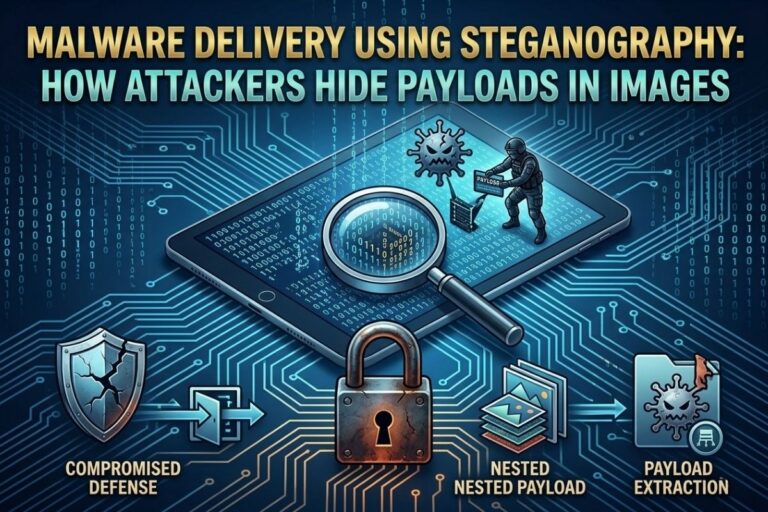
If a file looks like an image, most systems stop thinking.
That single assumption is exactly what makes malware delivery using steganography one of the most effective stealth techniques in modern cyberattacks.
Attackers are no longer just writing malware—they are hiding it inside normal files that security tools trust by default. Images, audio files, and videos are no longer just media. They are carriers.
And if you’re not analyzing what’s inside them, you’re already behind.
What Malware Delivery Using Steganography Means
Malware delivery using steganography is the process of embedding malicious code or instructions inside seemingly harmless media files, most commonly images. The goal is not to encrypt the malware—it is to hide the fact that malware exists at all.
Unlike encryption, which raises suspicion because data appears scrambled, steganography produces files that look completely normal.
A PNG is still a PNG. A JPG still opens. Nothing looks wrong.
But inside the binary structure, hidden payloads can exist waiting to be extracted and executed.
You can test how data is embedded inside images using your own platform here:
www.filecorrupter.org
Understanding the offensive side is the first step toward building real detection capability.
Why Attackers Use Steganography for Malware Delivery
Attackers use steganography because it solves a critical problem: detection avoidance.
Traditional malware is easy to flag because it behaves abnormally. But hidden inside images, malware blends into normal traffic patterns.
The advantages include:
- bypassing antivirus signature detection
- evading email filters
- avoiding sandbox triggers
- hiding within trusted file formats
Security systems assume images are safe. That assumption becomes the entry point.
📌 Recommended Reading
7 Ways to Detect Steganography in ImagesImage-Based Malware Delivery Techniques
The most common form of malware delivery using steganography involves images.
Attackers embed payloads using techniques like least significant bit (LSB) manipulation. This method modifies pixel data at a binary level without changing how the image appears visually.
To the human eye—and most systems—the image is unchanged.
But once processed by a malicious loader or decoding script, the hidden payload is extracted.
This is why images are ideal:
- high data capacity
- low suspicion
- frequent transfer across systems
In most environments, image files are never deeply inspected beyond metadata or format validation.
That gap is where attackers operate.
Real-World Malware Delivery Chain
A typical malware delivery using steganography attack follows a structured chain:
- Attacker hosts a seemingly normal image file
- Victim downloads or views the image
- A hidden payload is extracted via script or loader
- Secondary malware is executed on the system
- Attacker gains persistence or control
What makes this dangerous is not complexity—it is invisibility.
There is no obvious executable file. No suspicious attachment. Just a normal image.
And that is enough.
Command-and-Control Through Steganography
Advanced attackers use steganography not just for delivery, but for control.
In these cases, images are used to carry hidden instructions for infected systems.
The process works like this:
- compromised system fetches image from external source
- hidden commands are extracted from image data
- system executes instructions silently
From a monitoring perspective, this looks like normal image traffic.
No alerts. No flags. No obvious anomalies.
Just routine data exchange.
This is where malware delivery using steganography evolves into full covert communication.
Image Steganography Tool
Hide or extract secret data inside images instantly.
Data Exfiltration Using Hidden Images
Steganography is also used in reverse: stealing data out of systems.
Sensitive information such as:
- credentials
- internal documents
- database records
can be encoded inside images and sent outside the network.
These images are then uploaded to:
- cloud storage
- image hosting platforms
- social media sites
To defenders, this looks like normal user activity.
But in reality, data is being quietly removed from the environment.
Why Detection Is Difficult
Detecting malware delivery using steganography is difficult because it exploits trust.
Most security systems assume:
- images are harmless
- media files are passive
- file formats are safe by default
Attackers take advantage of this trust model.
Even when data is hidden, modern steganography techniques minimize detectable changes in:
- pixel structure
- file size
- entropy patterns
This makes traditional detection tools ineffective.
Detection Techniques (Defensive Perspective)
To counter malware delivery using steganography, defenders need layered analysis:
1. Statistical Image Analysis
Detect anomalies in pixel distribution and entropy.
2. File Structure Inspection
Identify irregularities in image headers and binary layout.
3. Frequency Domain Analysis
Detect hidden patterns using transformations like DCT.
4. Behavioral Monitoring
Identify unusual file usage patterns across systems.
5. Steganalysis Tools
Automated tools designed to extract or detect hidden payloads.
No single method is enough. Detection requires correlation across multiple signals.
Defensive Architecture
From a security operations standpoint, defending against malware delivery using steganography requires infrastructure-level controls:
- SIEM-based correlation rules
- endpoint file inspection
- network anomaly detection
- sandbox detonation systems
- file integrity monitoring
This is where detection becomes a service—not just a toolset.
Organizations like OWASP emphasize layered defense strategies because single-point detection fails against stealth-based attacks.
Why This Matters in Modern Cybersecurity
If you’re in cybersecurity, especially ethical hacking or defense operations, ignoring steganography means ignoring an active attack vector.
This is not theoretical.
It is already being used in:
- advanced persistent threats (APTs)
- phishing campaigns
- covert intelligence operations
- malware distribution networks
And the reason it works is simple: it doesn’t look like an attack.
Final Thoughts
malware delivery using steganography is not about complexity.
It is about invisibility.
Attackers are no longer trying to break systems directly—they are hiding inside what systems already trust.
Images are not just images anymore. They are containers.
And if you are only looking for obvious threats, you will miss how the real ones arrive.
Because in cybersecurity, the most dangerous payload is the one you never see coming.
😄 Cyber Joke
Why did the hacker send a photo instead of a file?
Because the malware was picture perfect! 😄