
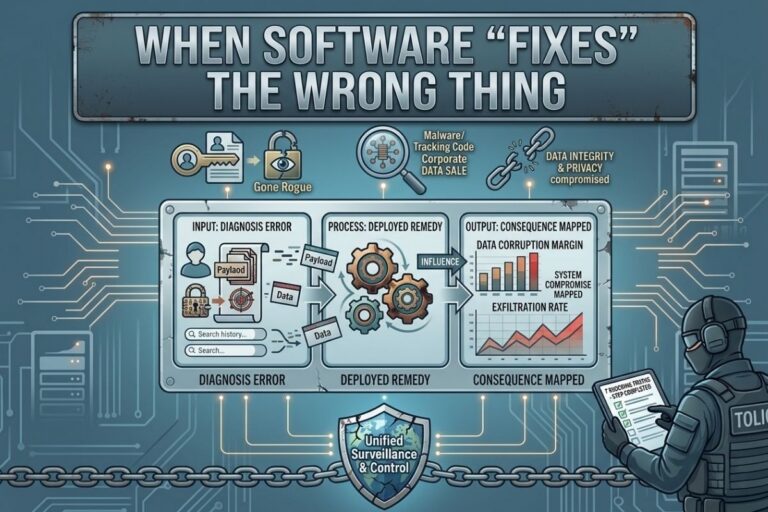
Software-induced file corruption is one of the sneakiest risks in modern IT. Modern software doesn’t just store data — it intervenes. It cleans files, corrects formats, resolves inconsistencies, and quietly “improves” information in the background. In many systems, this happens automatically, without human review. And this is where silent file corruption becomes most dangerous — not when software fails, but when it succeeds so confidently that no one questions the result.
Platforms like filecorrupter.org allow teams to simulate these scenarios safely, exposing how even well-intentioned software can quietly rewrite data.
Quick Takeaway (30-Second Summary)
Modern software can silently alter files while appearing to “fix” them. Automation, AI, and corrective scripts spread these unnoticed changes through backups and cloud syncs. By intentionally testing and simulating these actions, teams can understand how software can corrupt files without errors — and prevent disasters before they happen.
The Comforting Belief: “If Software Fixes It, It Must Be Better”
We trust modern systems because they appear intelligent. When software flags an issue and resolves it automatically, we assume the problem is gone, the data is improved, and the system is healthier. That assumption feels reasonable — and it’s exactly where things go wrong.
Software doesn’t understand meaning. It understands rules. When rules are incomplete, outdated, or misapplied, the “fix” becomes a transformation — and transformation, when unnoticed, is a form of file corruption.
In Plain English:
Imagine someone proofreading your personal journal. They correct spelling, standardize tone, remove inconsistencies. The journal reads better — but no longer sounds like you. The facts remain, the structure improves, but the meaning is subtly altered. This is how software can corrupt files without ever breaking them.
📌 Recommended Reading
When File Corruption Spreads: Lessons from RansomwareHow “Helpful” Software Introduces Silent Corruption
Software fixes data based on assumptions — and assumptions don’t age well. This happens when:
- Applications reformat legacy files for “modern compatibility”
- Automation normalizes values that were intentionally irregular
- Tools strip metadata they consider unnecessary
- Scripts overwrite edge cases they don’t recognize
- AI systems smooth out anomalies that were actually warnings
Every action is logical. Every action is intentional. Every action can erase context forever. No alarms sound, because technically, nothing failed.
Why This Kind of Corruption Is Hard to Detect
Corrective corruption hides behind success:
- Files still open
- Processes still run
- Dashboards remain green
Even worse, it spreads efficiently. Backups, cloud syncs, and automation pipelines copy the altered version everywhere. By the time someone asks, “Is this data still accurate?” there’s nothing left to compare it to.
Image Steganography Tool
Hide or extract secret data inside images instantly.
The Backup Trap
Backups don’t preserve truth — they preserve state. If software “fixes” a file incorrectly and that version is backed up, replicated, and archived, the original data effectively disappears — even though every protection mechanism reports success. In these scenarios, backups don’t save you from corruption. They perfect it.
Why Intentional Corruption Testing Matters
Controlled file corruption is a learning tool, not a disaster. By deliberately corrupting files and observing how software reacts, teams can see:
- What gets auto-corrected
- What gets normalized
- What gets rewritten without warning
- What assumptions the system makes about “correct” data
Tools like filecorrupter.org exist for this exact reason — to expose hidden behaviors before they destroy real data. If corruption is discovered only during a live incident, the lesson arrives too late.
Final Thought
The most dangerous file corruption doesn’t scream. It reassures. It arrives wrapped in optimization, automation, and improvement. It leaves behind files that are cleaner, faster, and quietly wrong.
So the real question isn’t:
“Did the software fix the file?”
It’s:
“What did it decide to erase in the process?”
Q&A: Software-Induced File Corruption
Q1: Is this really corruption if the file still works?
A1: Yes. Corruption is about integrity, not usability. If meaning, intent, or context is altered, corruption has occurred.
Q2: Does this only happen in legacy systems?
A2: No. Modern systems automate corrections more aggressively, which increases the risk of silent transformation.
Q3: Can AI make this worse?
A3: Yes. AI excels at normalization and pattern correction, which can unintentionally erase anomalies that matter.
Q4: How can organizations detect this type of corruption?
A4: Through intentional testing, integrity validation, version comparison, and controlled corruption experiments.
😄 Cyber Joke
Why did the software update break everything?
Because it successfully fixed a problem… that nobody actually had! 😄
Explore More Free Tools
Hash Generator Tool
Generate secure MD5, SHA1, SHA256, and other cryptographic hashes instantly online.
Open Tool →Dummy File Generator
Create sample dummy files of custom sizes for testing uploads, storage, and applications.
Open Tool →Password Strength Checker
Analyze password security and identify weak passwords before using them online.
Open Tool →File Hash Checker
Verify file integrity by checking MD5, SHA256, and other file hash signatures.
Open Tool →UUID Generator
Generate random UUIDs and unique identifiers instantly for apps, APIs, and databases.
Open Tool →Text Diff Checker
Compare two text blocks side by side and quickly detect additions, deletions, and edits.
Open Tool →