
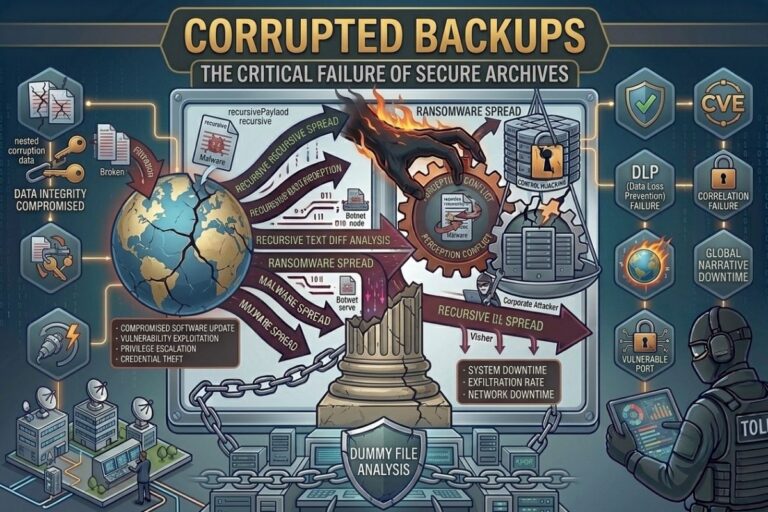
Backups are supposed to make us feel safe.
They are the digital equivalent of an insurance policy. When a hard drive fails, a backup should save you. When ransomware locks your files, a backup should restore them. When accidental deletion wipes out important data, a backup should provide a second chance.
That is what most people believe.
The truth nobody talks about is that backups can fail too.
Worse, they often fail silently.
Many organizations and individuals spend years creating backups without ever confirming those backups can actually restore data. They trust the software. They trust the storage device. They trust the process.
Then disaster strikes.
That is when they discover the uncomfortable reality of corrupted backup files.
The backup exists.
The files are there.
The recovery starts.
And nothing works.
For many people, that moment is when a backup stops being a safety net and becomes a painful lesson.
What Are Corrupted Backup Files?
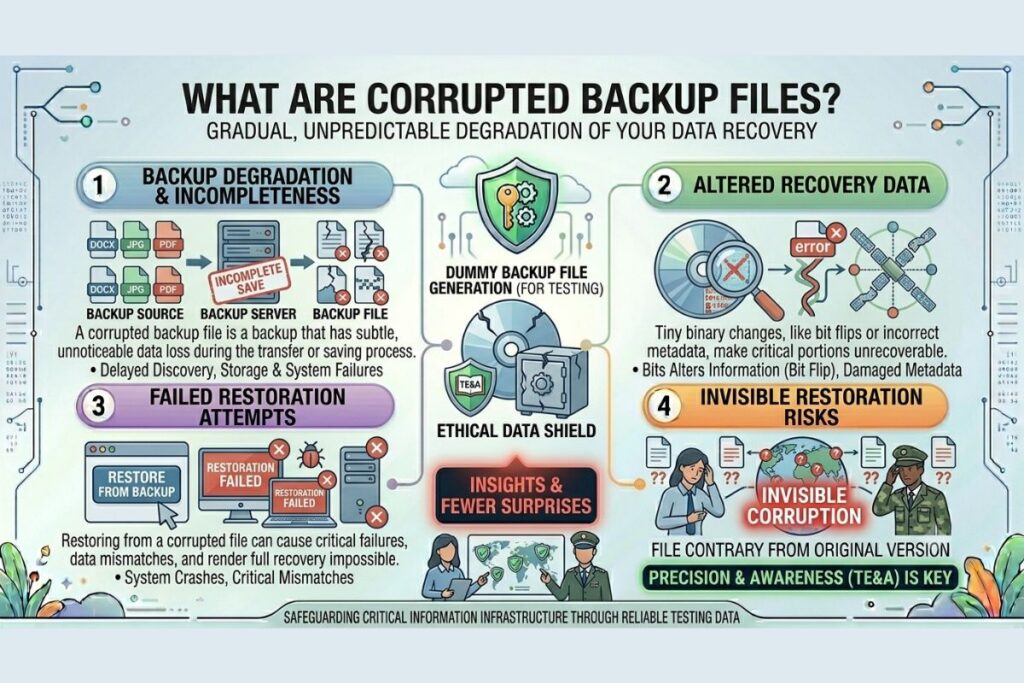
Corrupted backup files are backup copies that contain damaged, incomplete, altered, or unreadable data.
At first glance, everything may appear normal.
The backup software reports success.
The storage drive looks healthy.
The archive file occupies space exactly as expected.
No alarms are triggered.
No warning messages appear.
Yet hidden within that backup may be corruption capable of preventing a successful recovery.
Sometimes only a few files are affected.
Sometimes the entire backup becomes unusable.
Either way, the outcome is the same.
The backup cannot perform the job it was created to do.
Why Backup Corruption Is So Dangerous
Most technology failures make their presence known.
A failing hard drive may produce errors.
Malware often triggers alerts.
Applications crash when something goes wrong.
Backup corruption behaves differently.
It remains hidden.
A damaged backup can sit untouched for months or years while everyone assumes it is working perfectly.
Confidence grows.
Time passes.
Disaster eventually arrives.
Only then does the corruption reveal itself.
This delayed discovery is what makes corrupted backup files so dangerous.
By the time they are detected, there may be no healthy copies left.
Also Read: Bit Rot: The Silent File Corruption Destroying Your Archive
The Biggest Mistake People Make
The biggest mistake is assuming that creating a backup is the same as verifying a backup.
It is not.
Creating a backup simply means data was copied somewhere.
Verification confirms the copied data remains accurate and recoverable.
Those are two very different things.
Imagine purchasing a fire extinguisher and never checking whether it works.
You assume it is ready.
You trust it completely.
Then a fire starts.
The extinguisher fails.
Backups follow the same principle.
A backup that has never been tested is not proven protection.
It is simply an assumption.
How Corrupted Backup Files Happen
There are many causes of backup corruption.
Storage devices naturally age.
Hard drives develop bad sectors.
Solid state drives experience memory degradation.
Power failures interrupt backup operations.
Software bugs introduce unexpected errors.
Network disruptions damage data transfers.
File systems become corrupted.
Storage controllers malfunction.
Malware targets backup repositories.
Even bit rot can slowly alter archived information over time.
The specific cause is not always important.
The important fact is that corruption happens far more often than most people realize.
Every backup strategy should assume corruption is possible.
Why Successful Backup Reports Can Be Misleading
One of the most misunderstood aspects of backup systems is the meaning of a successful backup report.
Many people assume success means the backup is healthy.
That assumption is not always accurate.
A backup application may successfully copy damaged files.
A backup archive may be created correctly while containing corruption.
A storage system may accept data while developing integrity problems behind the scenes.
Successful backup creation does not automatically guarantee successful recovery.
The only meaningful test is restoration.
If a backup cannot restore data successfully, it has failed regardless of what the reports claim.
What Happens When You Restore a Corrupted Backup?
This is the scenario nobody wants to experience.
A ransomware attack encrypts critical files.
A hard drive suddenly fails.
An accidental deletion removes valuable information.
The backup becomes the last line of defense.
The restoration process begins.
Then problems appear.
Files refuse to open.
Documents display errors.
Images become unreadable.
Databases fail integrity checks.
Applications crash because required files are missing.
Sometimes only portions of data can be recovered.
Sometimes nothing can be recovered at all.
The emotional impact is often significant because people believed they were protected.
The backup existed.
The recovery simply failed.
How to Detect Corrupted Backup Files
The good news is that corruption can often be identified before disaster strikes.
The most effective approach is simple.
Test your backups.
Restore sample files regularly.
Open documents.
Review photographs.
Play videos.
Verify applications function properly.
Do not rely solely on backup reports.
Confirm that restored data actually works.
More advanced environments use checksum validation and integrity monitoring.
Checksums act like digital fingerprints.
If a file changes unexpectedly, the checksum changes as well.
This makes corruption easier to detect before recovery becomes necessary.
Why Businesses Get This Wrong
Many organizations focus heavily on creating backups.
Far fewer focus on validating them.
The reason is understandable.
Creating backups is easy to measure.
Verification requires effort.
Backup reports create confidence.
Testing exposes uncomfortable truths.
As a result, organizations often become excellent at generating backups while remaining uncertain about their ability to recover data.
This creates a dangerous gap between perception and reality.
A backup strategy should be judged by one question.
Can it restore data successfully?
Everything else is secondary.
Building a Reliable Backup Strategy
Reliable backup strategies focus on resilience.
Multiple copies reduce risk.
Different storage technologies eliminate single points of failure.
Offsite storage protects against local disasters.
Routine testing confirms recoverability.
Integrity monitoring helps identify corruption early.
Many experts recommend the 3 2 1 backup approach.
Maintain three copies of important data.
Use two different storage media.
Keep one copy offsite.
Combined with regular testing, this strategy significantly improves recovery readiness.
The Cybersecurity Connection
Backup integrity is not merely an operational concern.
It is a cybersecurity issue.
Modern ransomware groups frequently target backup systems because they understand their importance.
A victim with healthy backups can often recover without paying a ransom.
A victim with corrupted backups faces a far more difficult decision.
Reliable backups improve resilience.
Corrupted backups eliminate it.
Cybersecurity is about more than preventing attacks.
It is about surviving them.
That survival depends heavily on trustworthy backups.
Why This Matters More Than Ever
The world depends on digital information.
Businesses rely on digital operations.
Families preserve memories digitally.
Researchers store massive datasets.
Governments maintain extensive archives.
Every year, the amount of information we create continues to grow.
As our dependence on digital data increases, so does the importance of ensuring that data remains recoverable.
Many people believe they are protected because backups exist.
The truth is more complicated.
Protection comes from verified recovery capability.
Everything else is hope.
For additional cybersecurity insights, file integrity discussions, and digital preservation resources, visit filecorrupter.org.
Helpful resources:
Frequently Asked Questions
What causes corrupted backup files?
Corrupted backup files can result from hardware failures, software bugs, interrupted transfers, malware, storage degradation, and bit rot.
How do I know if my backups are corrupted?
The most reliable method is performing restoration tests and confirming that recovered files open and function correctly.
Can cloud backups become corrupted?
Yes. Although cloud providers implement extensive integrity protections, no storage environment is completely immune to corruption.
How often should backups be tested?
Testing frequency depends on the value of the data, but regular recovery testing should be a standard part of every backup strategy.
Final Thought
The most dangerous backup is not the one that does not exist.
It is the one you trust without verification.
Corrupted backup files expose a reality that many people overlook. Creating backups is only the beginning. Real protection comes from knowing those backups will work when everything else fails.
When disaster strikes, assumptions disappear.
Results remain.
The question is simple.
Have you ever proven your backups can actually save you?
The backup you trust most might already be corrupted. The only reason you have not discovered it yet is because you have never needed it.
Explore More Free Tools
Hash Generator Tool
Generate secure MD5, SHA1, SHA256, and other cryptographic hashes instantly online.
Open Tool →Dummy File Generator
Create sample dummy files of custom sizes for testing uploads, storage, and applications.
Open Tool →Password Strength Checker
Analyze password security and identify weak passwords before using them online.
Open Tool →File Hash Checker
Verify file integrity by checking MD5, SHA256, and other file hash signatures.
Open Tool →UUID Generator
Generate random UUIDs and unique identifiers instantly for apps, APIs, and databases.
Open Tool →Text Diff Checker
Compare two text blocks side by side and quickly detect additions, deletions, and edits.
Open Tool →